THE FISHING APP FOR GARMIN WATCHES

Every cast counted.
Every catch mapped.

Strike & Cast counts your casts from the motion of your wrist, logs a catch with one press, reads the barometer, and turns each session into a map and numbers you can learn from.

Coming soon to Connect IQ Sign in to your history
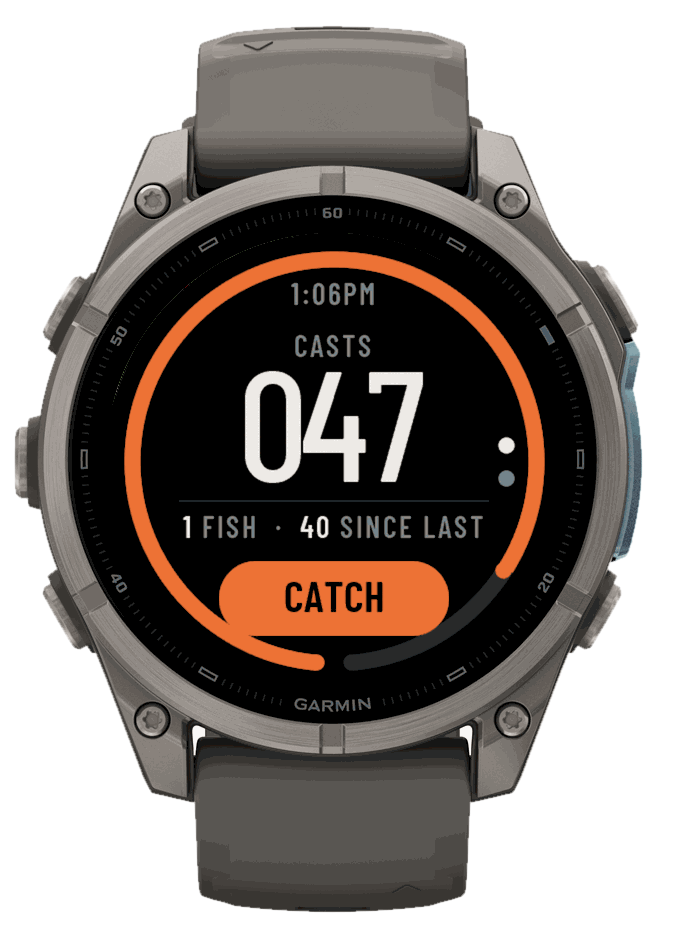
The live session on a fēnix 9: 47 casts, the ring and the CATCH button

HOW IT WORKS

  1. Start

    Pick your style — spinning, feeder or fly — and press START. The session is recorded as a Fishing activity in Garmin Connect.

  2. Cast

    Fish as you always do. The watch counts each cast from your wrist: the backswing, the snap, and the stillness while the lure lands.

  3. Strike

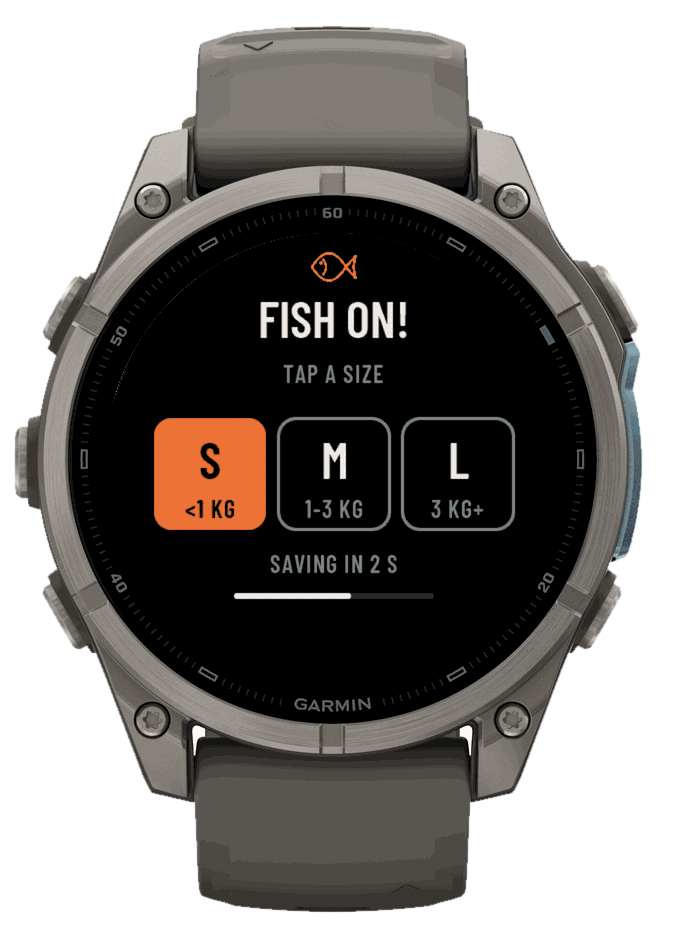
    Fish on? Press BACK/LAP or tap CATCH. Pick S, M or L in three seconds, or let it save itself and keep your hands on the rod.

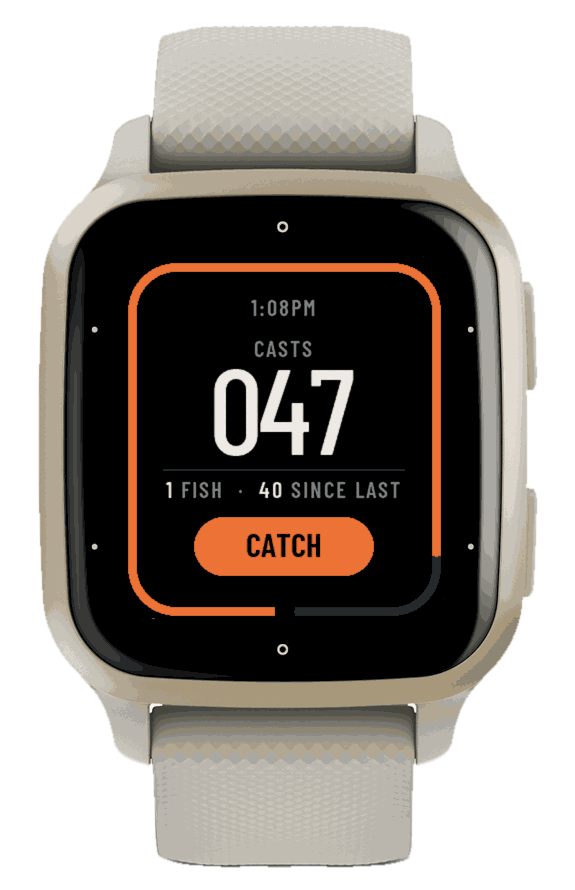
The live session on a Venu Sq 2

LIVE SESSION

Your casts, big and clear

The count is big and high-contrast, made to read at a glance in the sun. The ring fills as you cast towards your usual casts per fish, and the orange CATCH button sits right under your thumb.

Quick tag after a catch

QUICK TAG

One press, then back to fishing

Each catch keeps its time, its cast number, the pressure and the place. Tag the size — under 1 kg, 1–3 kg or over 3 kg — or skip it: the tag saves itself after three seconds.

Barometer trend

BAROMETER

Know when they bite

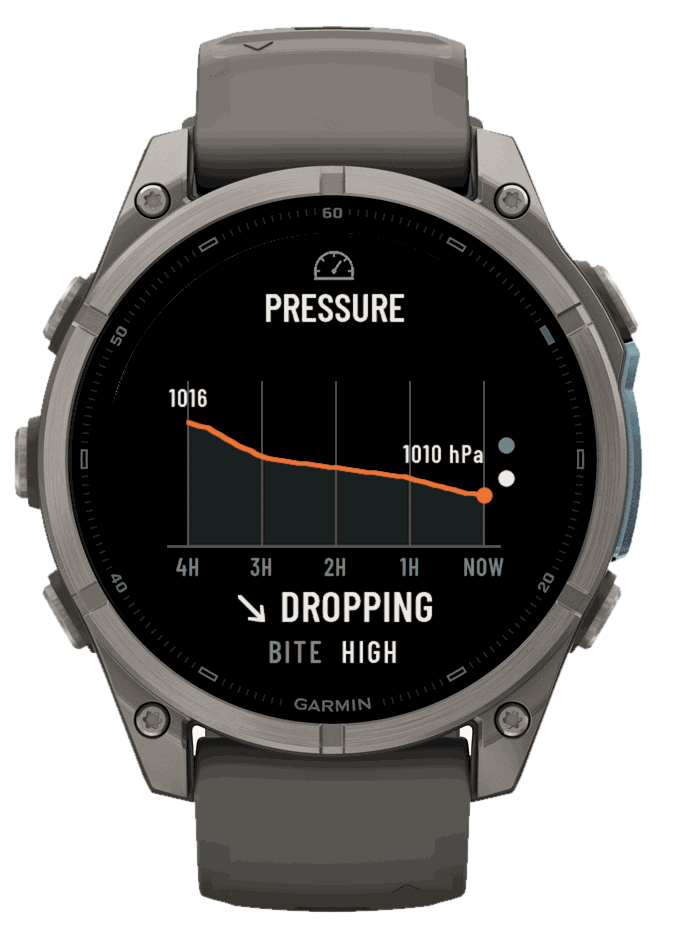
The last four hours of pressure on one screen, whether it is dropping, steady or rising, and a bite hint from the change. Swipe up from the live session to see it.

Session summary

SESSION SUMMARY

Casts per fish: your real score

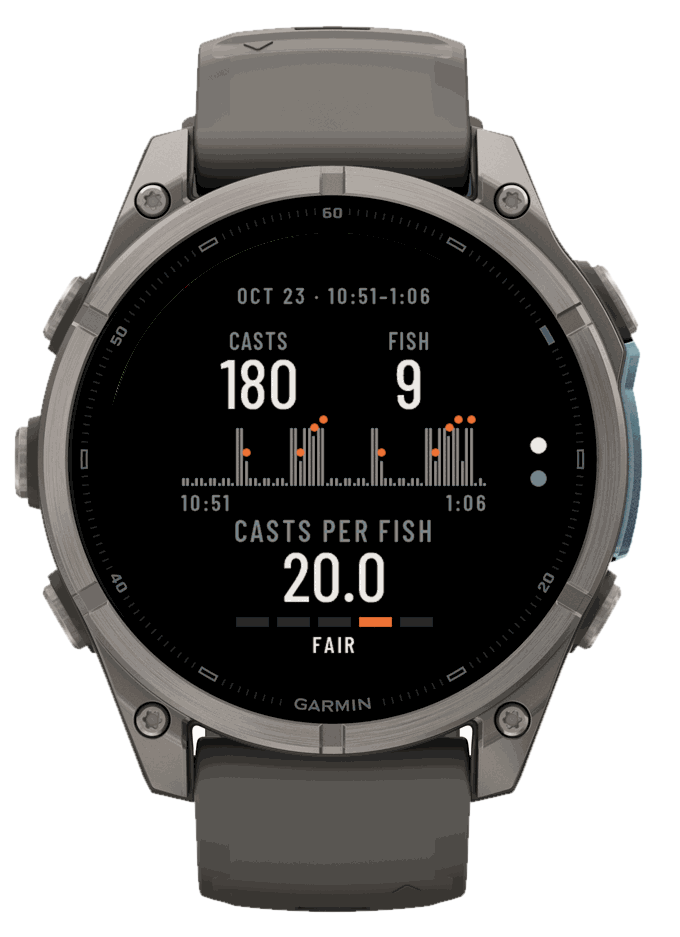
At the end you get the timeline of your casts with a mark at every catch, your casts per fish, and a grade from SLOW to ELITE. Fewer casts for each fish means you read the water better.

ON YOUR PHONE

Every session on a map

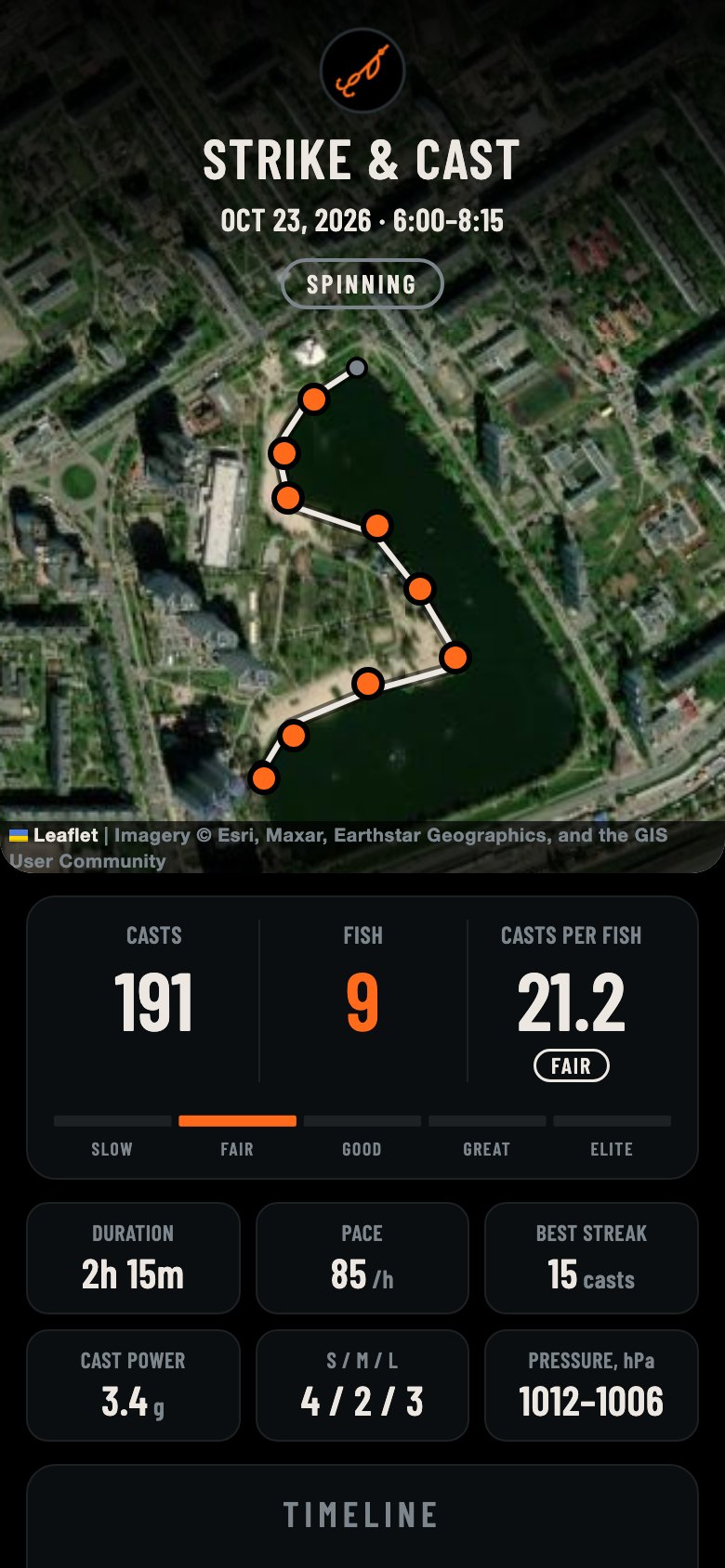
Open a finished session on your phone: the satellite map with your track and a dot where each fish bit, the timeline, the barometer and every catch. Sign in with Google and all your sessions stay in your history.

A session on the phone
THE SESSION
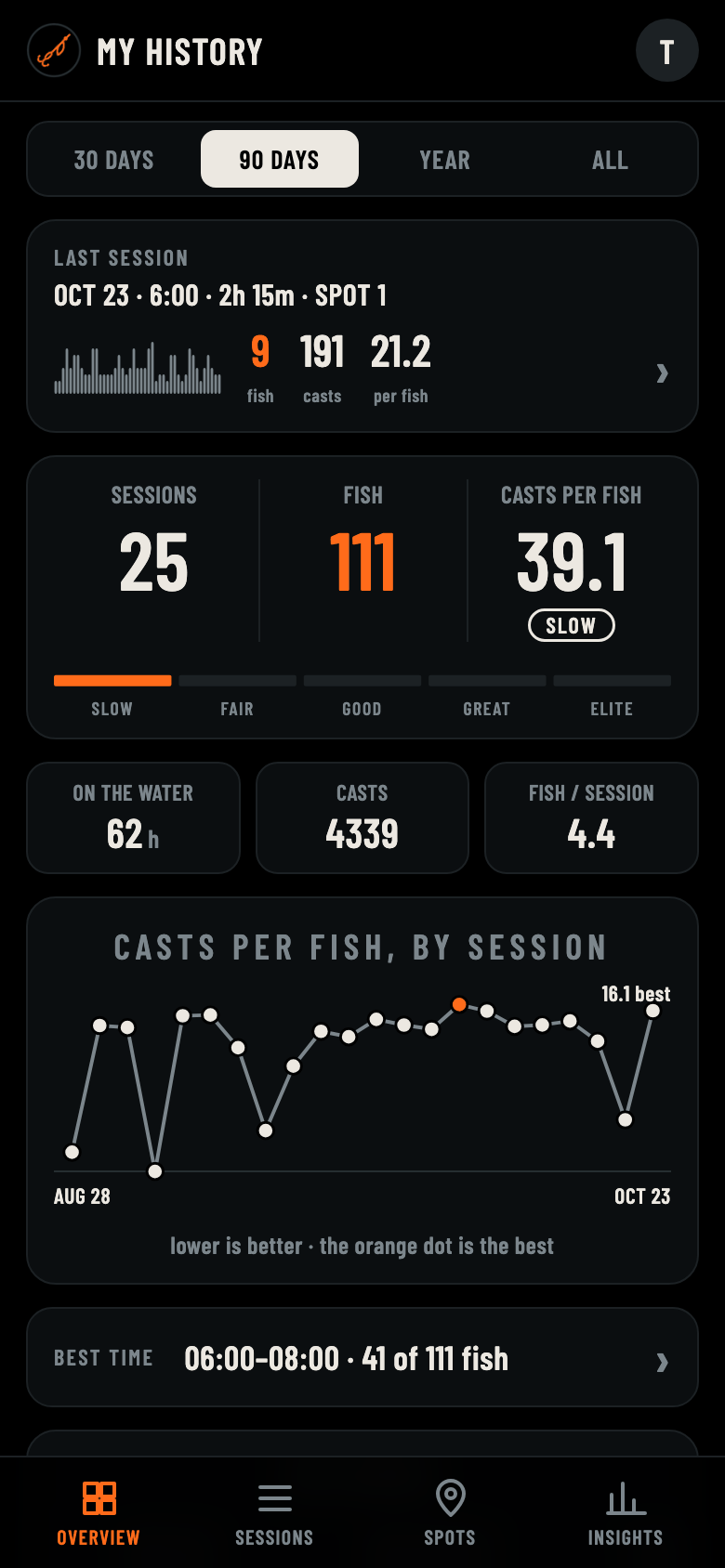
The history overview
YOUR HISTORY
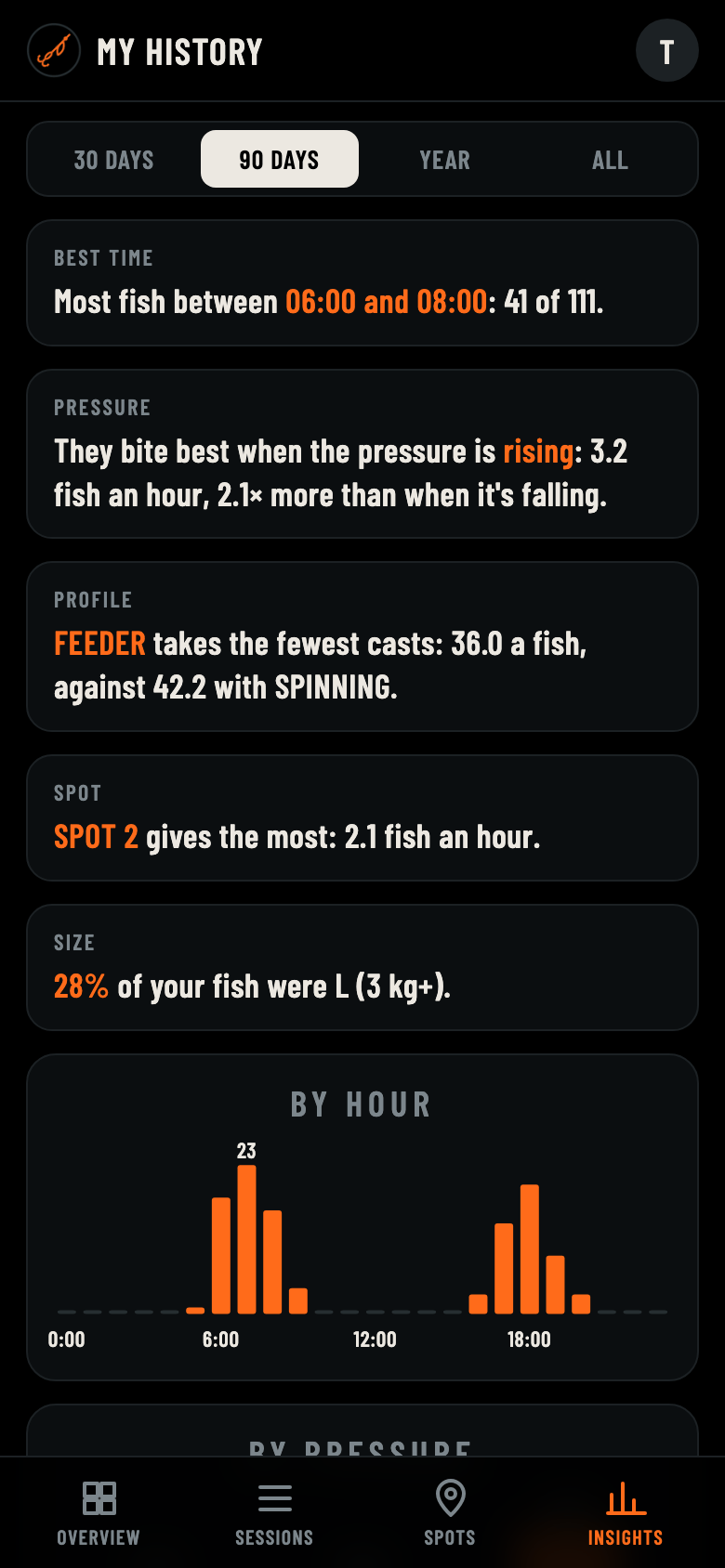
Insights
WHEN THEY BITE
Fishing activity

Each session saves to Garmin Connect as a Fishing activity, with casts, fish and casts per fish.

Easy on the battery

The GPS stays off: one fix every 15 minutes (or 10, or only at a catch — your choice) and one for each fish.

Your spots stay yours

Your history is private behind your Google sign-in. No ads, no selling of data.

Watches

50 Garmin watches with an AMOLED screen: fēnix 8 and 9, epix Pro, MARQ, Forerunner 165–970, Venu 2–4 and X1, Instinct 3 AMOLED and more.

QUESTIONS

How does it count casts?

From the accelerometer in your watch: a cast is a backswing, a hard forward snap, and then your wrist settling while the lure flies and lands. Walking, drinking or untangling a line look different, and the detector is built to leave them out. Each profile — spinning, feeder, fly — has its own thresholds, and a quick flip of your wrist takes back a cast that wasn't one.

Do I need my phone with me?

No. Everything is recorded on the watch. Your phone is only needed later, to open a session's page or your history.

Where does my data go?

The session stays on your watch and in Garmin Connect. It is sent to Strike & Cast only when you open it on your phone, and your history is visible only to you after you sign in.

What does "casts per fish" mean?

All your casts divided by the fish you caught. It is the number that shows how well you read the water: the lower, the better.